Articles in this section
Buy One-Time Credit for Email Campaigns
Introduction
The Buy One-Time Credit option allows you to buy credits for Email Campaigns. The number of credits you purchase equals the number of emails you receive.
If you require extra credits, you can acquire pay-as-you-go credits without changing your current plan. These credits can be utilized anytime within the next 12 months. Pay-as-you-go credits are beneficial if you launch campaigns occasionally. The credits you purchase are valid for 12 months, with each credit equal to one email.
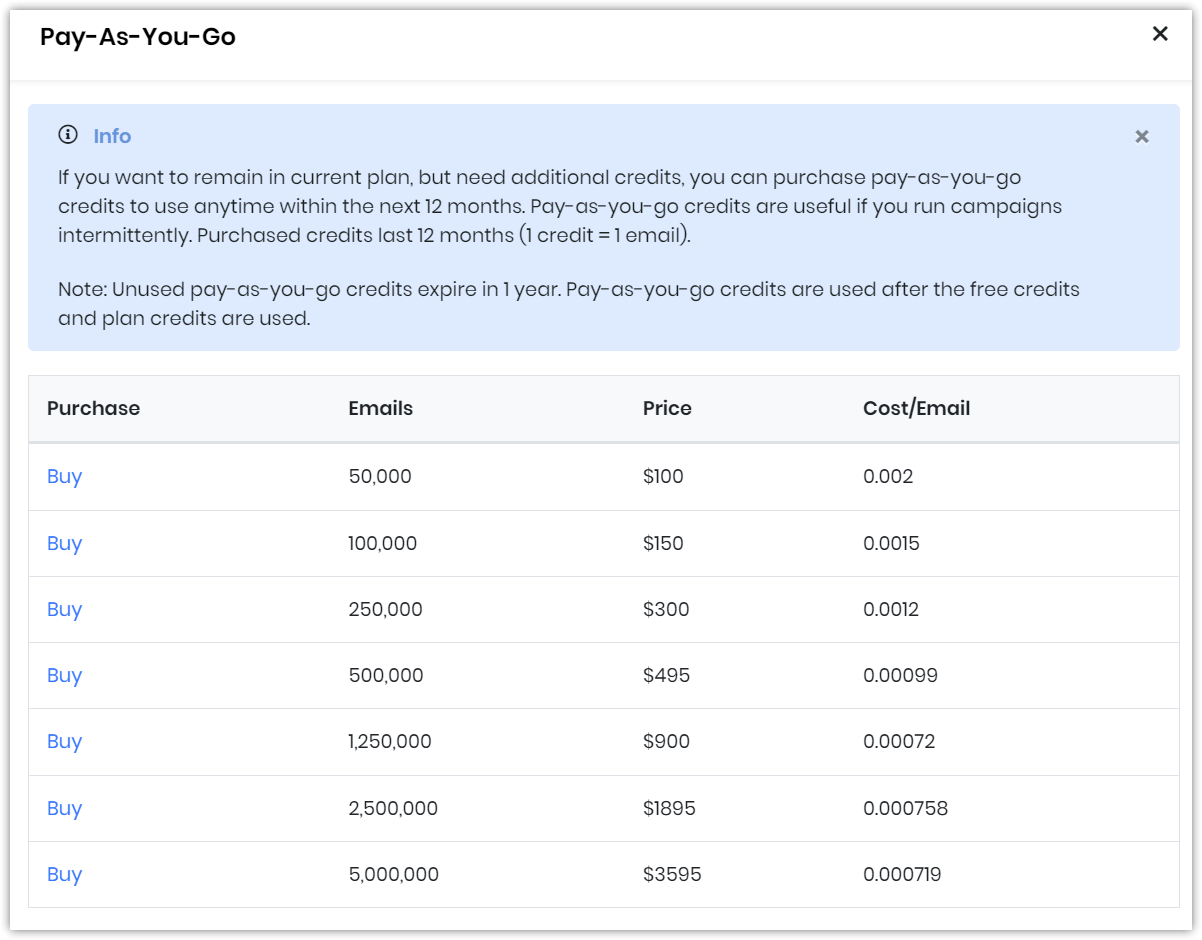
Pay-as-you-go credits are helpful if you run campaigns occasionally
Purchased credits expire in 12 months. Also, purchased credits are used only after the free credits or credits from the current plan are exhausted.
Note:
- The Buying One-Time Credits for Email Campaigns icon will appear for first-time users only if payment details have been added.
- Unused pay-as-you-go credits expire within a year. Pay-as-you-go credits are used after the free credits and plan credits are used.
Benefits
The Buying One-Time Credit option for email campaigns is beneficial for those who:
- Need the flexibility to purchase additional credits without upgrading or changing their current plan.
- Run occasional email campaigns and prefer a pay-as-you-go model.
In this article, you will learn:
- How to add One-Time Credits to your subscription.
Adding One-Time Credits
Follow these steps to use One-Time Credit:
- Log in to the CRM.
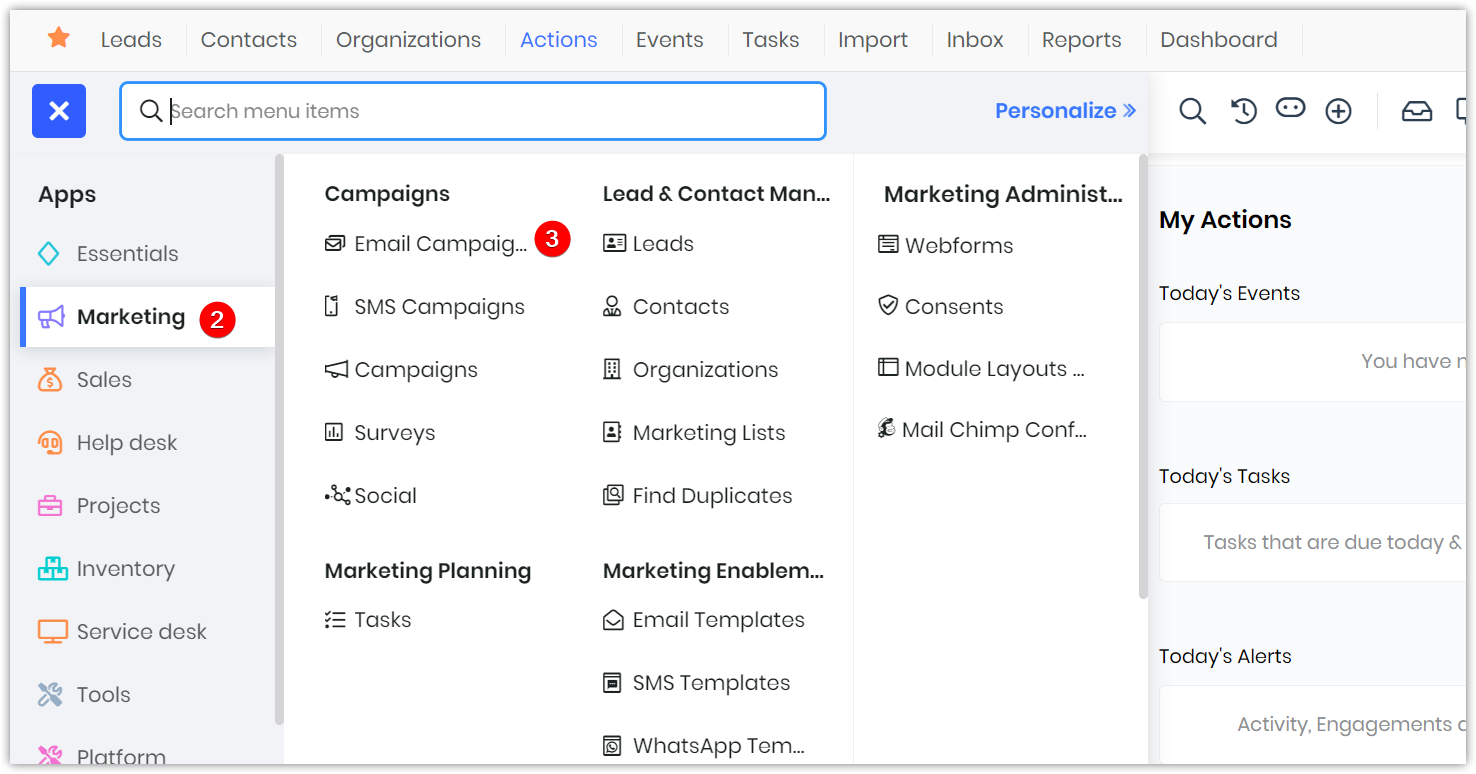
- Go to Marketing.
- Select Email Campaigns under Campaigns. The Email Campaigns page opens.
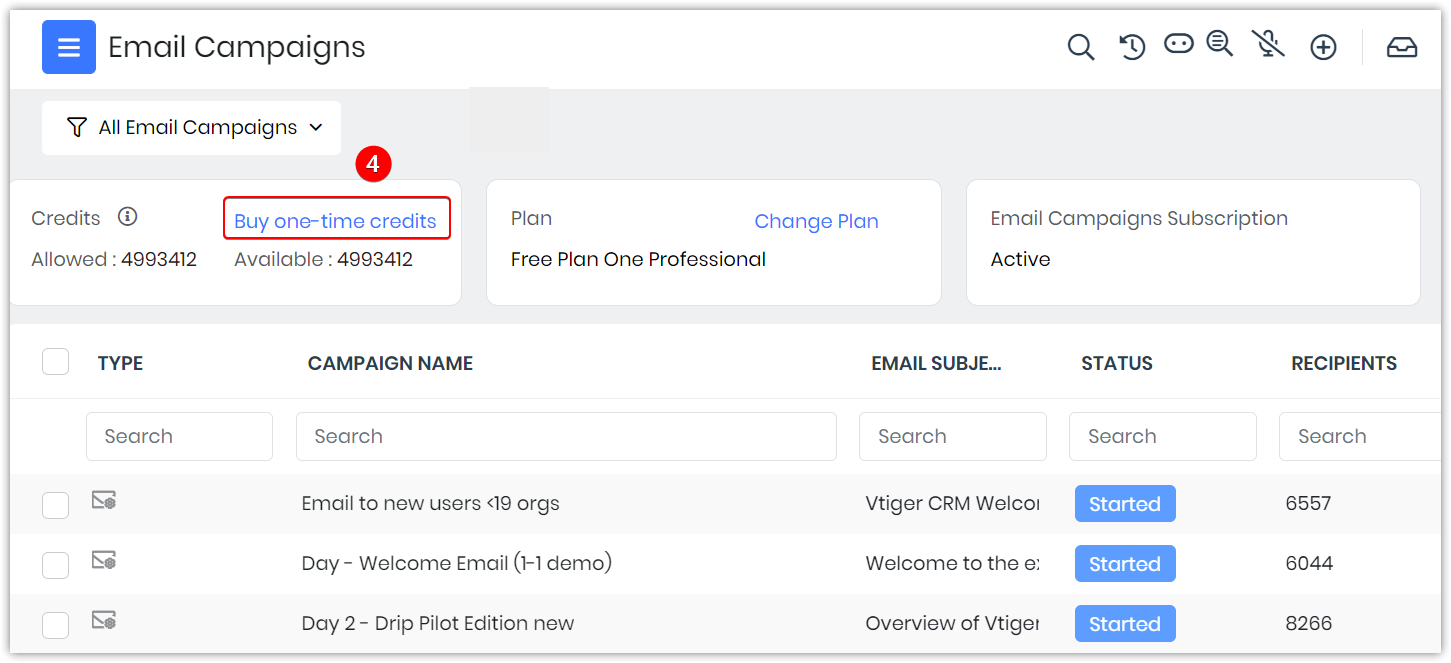
- Click Buy one-time credits. A Pay-as-you-go page opens. A list of emails, the price, and the cost of each email will be displayed.
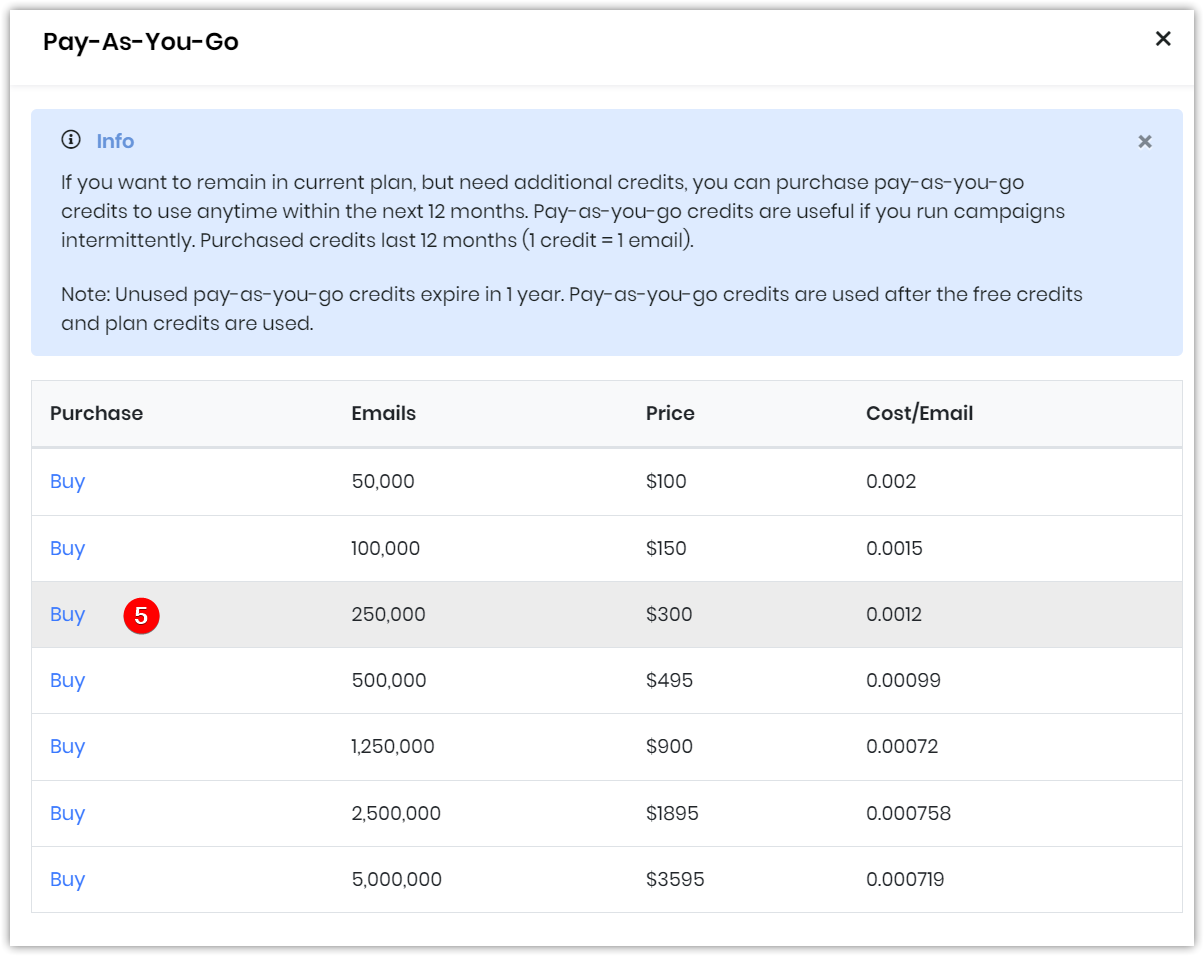
- Click Buy as per your requirement. A Proceed to Pay message will be displayed. Your saved card details page opens.
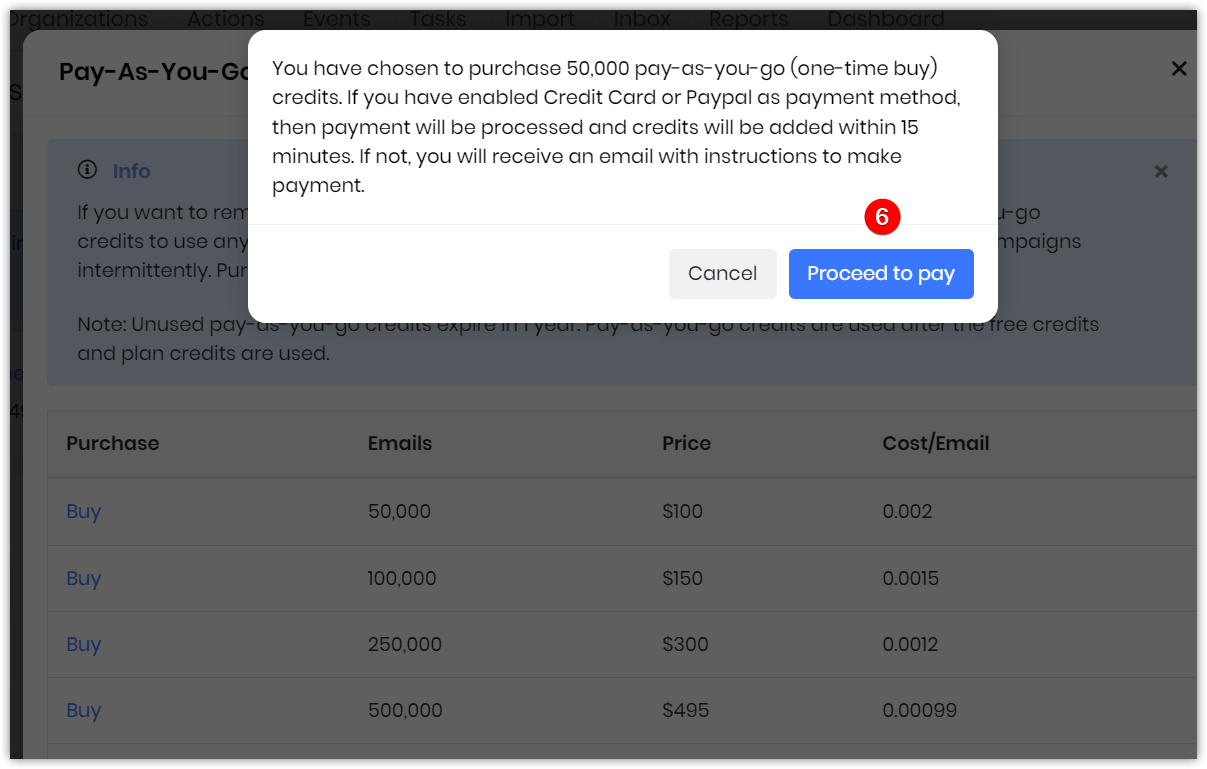
- Click Proceed to Pay.
A success message will be displayed.
Note: If you have your Credit card or PayPal as a Payment method enabled, payment will be processed, and credits will be added within 15 minutes.
Reference
Using Email Campaigns for Marketing